-
English


Circular (disc) LED screens often struggle with visible pixel jagging along the curved edge. Since LEDs are arranged in a grid, rendering a smooth circle requires both software optimization and hardware design improvements.
Below is a structured approach to solving this issue.
Start by adjusting brightness across the edge zone. Instead of keeping all pixels at the same intensity, create a gradient from the center to the edge.
Lower the brightness of edge pixels step by step. This soft transition reduces the harsh contrast between “on” and “off” pixels, making the circular boundary appear smoother.
Next, refine how pixels display content at the edge.
With subpixel rendering, you can control individual RGB elements within a pixel. By adjusting how these subcomponents light up, you can visually “reshape” the edge and reduce jagged lines.
This method works especially well for text and fine graphics.
You can also treat the circular edge as a mathematical curve rather than a rigid grid.
Here’s how it works:
Then adjust brightness—or even turn off part of the pixel—to better approximate the curve. This significantly improves edge accuracy.
Another effective method involves selective pixel control.
Divide edge pixels into two groups:
This combination creates a smoother visual transition and avoids the “stair-step” effect common in low-resolution curves.
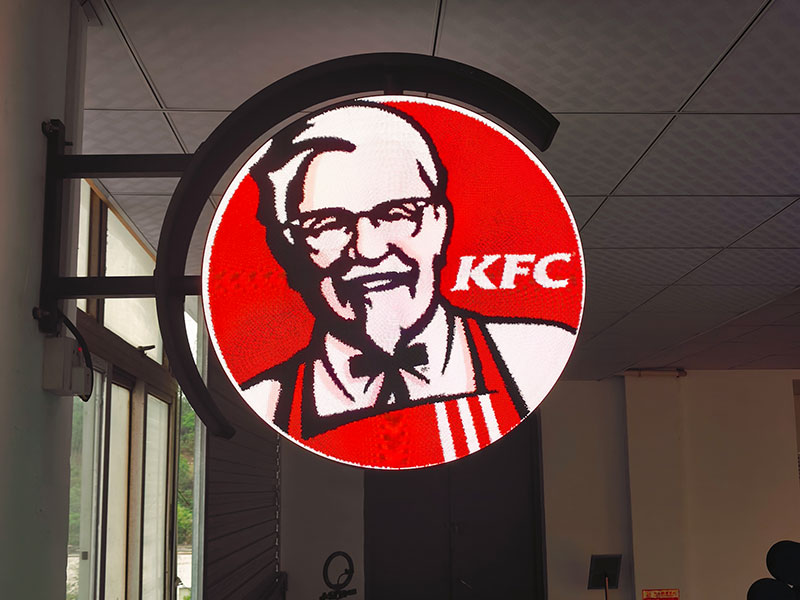
On the hardware side, you can modify the physical structure of edge pixels.
By increasing the light-emitting area of pixels near the edge, you create a more continuous visual boundary. This helps mask jagged transitions and improves overall smoothness.
Instead of using a strictly uniform grid, consider alternative pixel arrangements near the եզge.
For example, adjusting spacing or alignment in the outer ring can make the circular contour appear more natural and less stepped.
One of the most direct solutions is to reduce pixel pitch.
Higher pixel density means more sampling points along the curve, which naturally reduces the visibility of jagged edges. This is especially important for large-format displays viewed at close range.
Chip-on-Board technology allows tighter pixel integration and better uniformity.
With COB, you get:
This makes it a strong choice for high-end circular LED applications.
To minimize jagged edges on circular LED displays, you need to combine algorithmic precision with physical optimization.
On the software side, use brightness gradients, subpixel control, and compensation algorithms to simulate smooth curves. On the hardware side, refine pixel structure, layout, and density to support that illusion.
By aligning both approaches, you can deliver a clean, smooth circular edge that looks natural—even on large-scale LED screens.
+86 18688923792
+86-755-23312336
4th Floor, Building B, Zhonghe Building, Taiwan Industrial Zone, 2132 Songbai Road, Shiyan Street, Bao'an District, Shenzhen.


Emall us with any questions or inquiries or use our contact data.We would be happy to answer your questions.
Toosen Professional Manufacturer of led sphere display,led screen globe,led ball display,spheric led screen,spherical led display, Led Special-shaped LED manufacturer, LED factory,Manufacturers & Suppliers,Factory & Exporters. Looking forward to your cooperation.
Copyright © 2010-2026 Toosen LED All Rights Reserved
Theme by WordPress