-
English


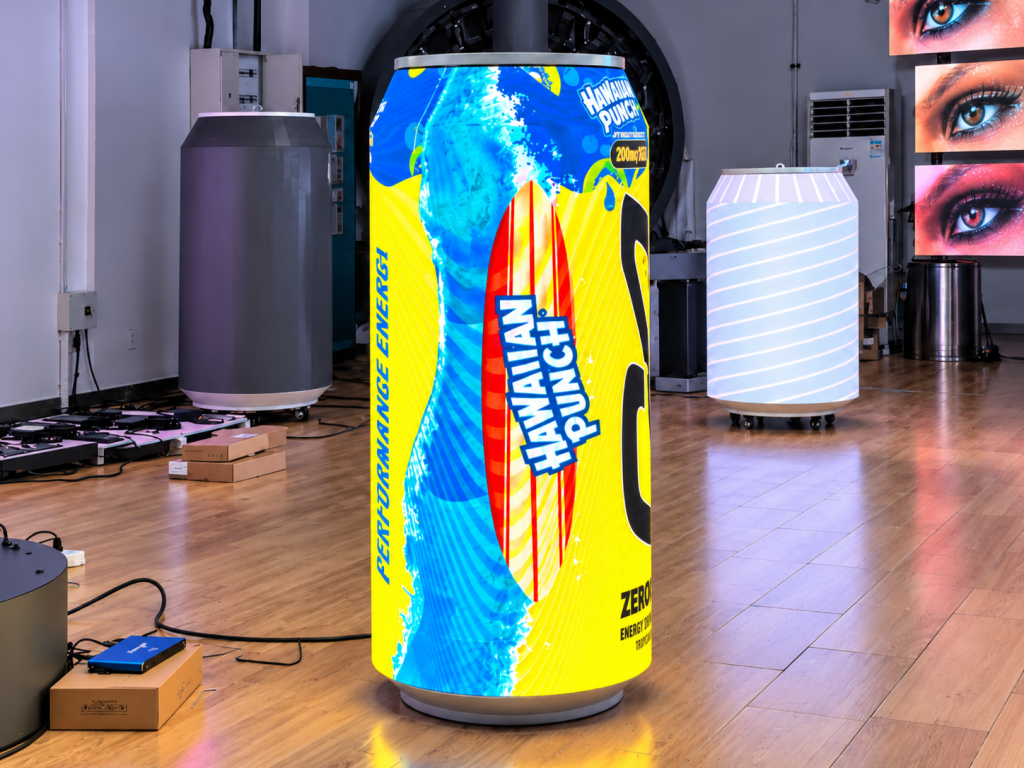
Have you noticed that black areas on your can-shaped LED display look gray, or that dark scenes lose important details? The image may appear flat, colors may look weak, and the overall contrast may not match the original content.
This problem does not always mean the LED modules are defective. In many cases, the cause is an RGB range mismatch between the video source and the LED control system.
For businesses using can-shaped LED displays in retail stores, exhibitions, shopping malls, or advertising spaces, accurate image quality is important. Understanding the cause can save time during installation and troubleshooting.
RGB range determines how a video signal represents black, white, and the shades between them.
In a standard 8-bit signal, RGB Full uses values from 0 to 255, while RGB Limited uses values from 16 to 235 for normal video levels. Both formats can deliver good image quality when the source and display use matching settings.
Problems appear when the two sides interpret the signal differently.
If the source sends Limited RGB but the display system expects Full RGB, black may appear dark gray and white may look dull. If the source sends Full RGB but the display system expects Limited RGB, dark shades may merge into black, while bright details can disappear.
These problems reduce contrast and make product images, videos, and promotional content look less clear.
Several devices can affect the signal before it reaches the LED screen.
1. Incorrect video source settings
A computer, media player, or video processor may output Full or Limited RGB depending on its configuration. Automatic detection does not always select the correct option.
2. Incorrect LED controller settings
The video processor or sending system may interpret the incoming signal differently from the source. This can cause incorrect black and white levels across the entire display.
3. Problems in the signal chain
HDMI splitters, converters, receivers, and other intermediate devices may affect signal format or range handling. A screen that looks correct with a direct connection may show different results when extra equipment is added.
4. Other image settings
Brightness, contrast, gamma, and HDR processing can also affect dark scenes. If RGB range is already correct, these settings should be checked before assuming there is a hardware fault.
Start by checking the complete signal path, from the video source to the LED display.
First, check the output range on the computer or media player. Then open the relevant settings on the video processor or display system and confirm how the incoming signal is interpreted.
The source and display system must agree on the range, or the equipment must correctly convert between the two formats. Do not assume that Full RGB is always better; the right setting depends on the signal format and the equipment in use.
Next, check brightness, contrast, gamma, and HDR settings. Avoid using brightness or contrast to hide an RGB mismatch, because this can make shadow detail even harder to see.
If the problem continues, connect the source directly to the processor where possible. This helps identify whether an intermediate device is affecting the image.
After changing the settings, use a black-level test pattern and a grayscale image.
Check whether the darkest gray steps remain distinguishable from black. Then inspect the brightest gray steps to see whether they remain separate from white.
Play a video with dark backgrounds, shadows, and bright highlights. Compare the result with the original content on a correctly configured reference monitor.
For a can-shaped LED display, also inspect the image from the normal viewing distance. Check different areas of the screen to confirm that the picture looks consistent.
If the darkest areas still look gray after the range is matched, investigate the display’s native black level, calibration, and ambient lighting.
RGB range problems are usually related to signal processing rather than the physical shape of the display.
The main components to inspect are the video source, sending controller, video processor, receiving cards, and signal cables. Their roles and available settings depend on the specific control system.
The LED modules and cabinet structure should also be checked if the issue affects only certain areas of the screen. However, if the entire display shows the same washed-out image, start with the signal settings before replacing hardware.
Imagine a retailer installing a can-shaped LED display to show product videos. During testing, black backgrounds appear gray, making the images look less sharp.
Instead of replacing the LED modules immediately, the installer checks the media player and video processor. The source is outputting Limited RGB, while the receiving system is interpreting it as Full RGB.
After correcting the range configuration, the installer tests black levels, grayscale steps, and the original video again. The image now has more accurate contrast without unnecessary changes to brightness.
This example illustrates why signal configuration should be checked before assuming that the display hardware is faulty.
1. Does gray black always mean the LED screen is defective?
No. An RGB range mismatch, incorrect calibration, or the display’s native black level may cause the problem.
2. Should I always use RGB Full?
No. Full RGB is common for PC displays, while Limited RGB is common in conventional video workflows. The source and display must use compatible settings.
3. Can an RGB mismatch damage the LED modules?
An ordinary range mismatch affects image reproduction rather than physically damaging the modules.
4. Why do shadows disappear after changing the settings?
The signal may be interpreted using the wrong range, causing several dark levels to appear as the same black. Check both ends of the signal chain.
For can-shaped LED display projects, correct signal configuration is an important part of achieving consistent image quality. TOOSLED can help customers identify the display model and control system involved so the appropriate troubleshooting steps can be determined.
When contacting th
+86 18688923792
+86-755-23312336
4th Floor, Building B, Zhonghe Building, Taiwan Industrial Zone, 2132 Songbai Road, Shiyan Street, Bao'an District, Shenzhen.


Emall us with any questions or inquiries or use our contact data.We would be happy to answer your questions.
Toosen Professional Manufacturer of led sphere display,led screen globe,led ball display,spheric led screen,spherical led display, Led Special-shaped LED manufacturer, LED factory,Manufacturers & Suppliers,Factory & Exporters. Looking forward to your cooperation.
Copyright © 2010-2026 Toosen LED All Rights Reserved
Theme by WordPress