-
English


An LED ball display can show moving images, animations, and videos from different viewing angles. But what happens when the sound does not match the picture?
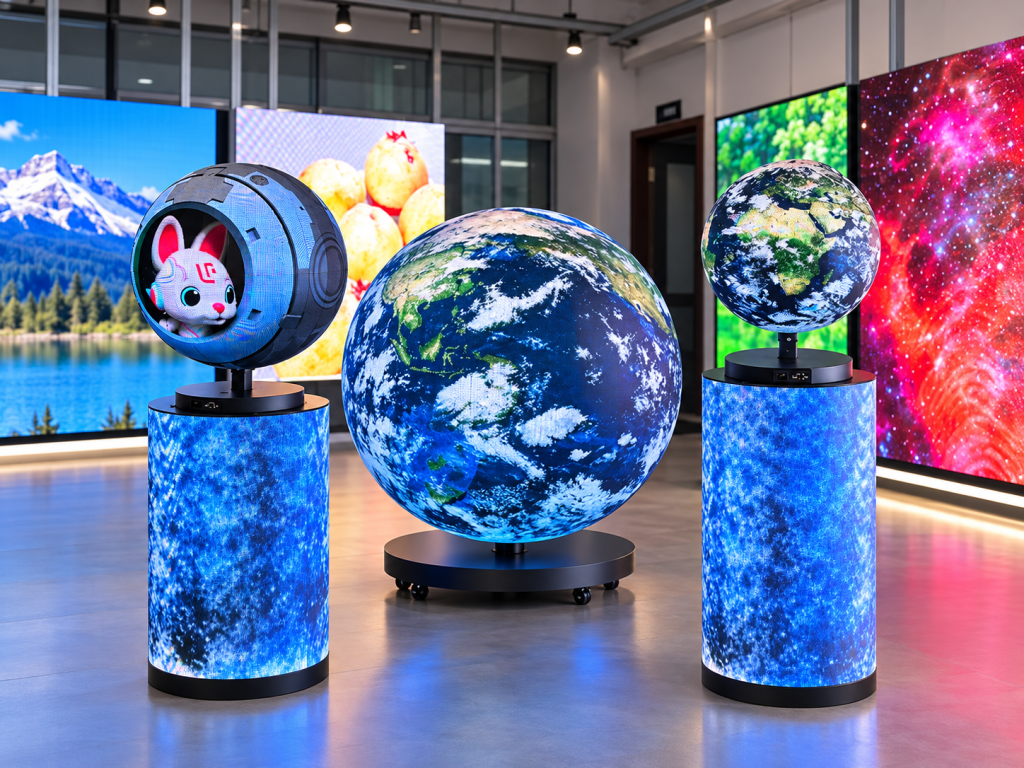
For example, an animated ball may hit the ground before the audience hears the impact. A speaker’s voice may also come before or after the movement on the screen.
These problems can make even a high-quality spherical LED display look unprofessional.
That is why audio-to-video synchronization should be tested before the display is used for exhibitions, events, or public installations.
Audio and video should reach the audience at nearly the same time.
When there is a noticeable delay, viewers may feel that something is wrong, even if the LED screen itself is working normally.
This is especially important for LED ball displays used in:
A small timing difference may not matter for simple background music. However, it becomes much more obvious when an animation needs to match a sound effect.
Several parts of the system can affect synchronization.
1. Video processor delay
The video processor needs time to handle incoming signals and prepare images for the LED display. Some processing settings can increase this delay.
2. Different audio and video paths
Audio may travel directly from a computer to a speaker, while video passes through a processor and LED control system.
These different signal paths can create a timing difference.
3. Media player settings
Some media players introduce delays because of decoding, buffering, or incorrect playback settings.
4. Audio equipment delay
Wireless speakers, digital audio processors, and other sound equipment can also add latency.
The problem is not always caused by the LED screen. The complete playback system needs to be checked.
A simple synchronization test can help identify where the delay occurs.
Create a short video containing a clear visual flash and a matching sound.
For example, show a white circle that appears exactly when a sharp beep is played.
The audio and visual events should be aligned in the original video file.
Repeat this sequence several times so the timing difference is easier to observe.
Connect the media player, video processor, LED control system, and speakers.
Use the same equipment and settings planned for the actual installation.
For a spherical LED display, make sure the test image is mapped correctly onto the screen.
Do not test only on the computer monitor. The final test must include the LED ball display.
Play the synchronization video on the LED ball display.
Position a camera where it can clearly capture both the screen and the sound from the speaker.
Record several test cycles.
A high-frame-rate camera with reliable audio recording can help identify small timing differences.
Keep the camera close enough to the speaker to reduce the effect of sound travel time.
Open the recording in video editing software.
Find the frame where the visual flash first appears. Then locate the beginning of the matching sound in the audio waveform.
Compare the two times.
For example:
In this example, the sound arrives 80 milliseconds after the picture.
Repeat the measurement several times and calculate the average difference.
If the camera records at 60 frames per second, each frame represents about 16.7 milliseconds. Higher recording frame rates allow more precise visual measurements.
Once the delay has been measured, check the signal path.
If the sound comes before the image, the video system may have more processing delay. Adding a suitable audio delay can help both signals match.
If the sound comes after the image, inspect the audio equipment and reduce unnecessary processing where possible.
You should also:
Make one adjustment at a time and repeat the same test after each change.
A spherical LED display uses curved modules, receiving cards, and a control system to show images around its surface.
The round structure does not automatically create an audio delay. However, video processing and pixel mapping can affect the time needed to display content.
TOOSEN offers spherical LED displays in different diameters and pixel pitches, with synchronous and asynchronous control options.
For projects that require accurate sound effects, the control system and external audio equipment should be selected together.
Consider a museum using an LED globe to show the Earth rotating while narration and sound effects play.
If an impact animation appears before its sound, visitors may notice the mismatch.
The installation team should test the complete system before opening and repeat the test after changing the media player, processor, or sound equipment.
The same approach works for exhibitions and shopping mall installations.
1. What is an acceptable audio-video delay?
There is no single limit for every project. Interactive content and precise sound effects usually require tighter synchronization than background music. Set a target based on the application.
2. Can changing the LED controller fix the delay?
Sometimes, but not always. The cause may be in the media player, processor, or audio equipment.
3. Should synchronization be tested after installation?
Yes. Test the system again after installation because cable connections, playback devices, and signal settings may have changed.
TOOSEN manufactures customized LED ball displays for museums, shopping malls, exhibitions, and other commercial projects.
With different screen sizes, pixel pitches, and control system options, TOOSEN can help customers select suitable display hardware for their installations.
For project specifications and system requirements, visit www.toosled.com.
Testing synchronization before final delivery helps ensure that the picture and sound work together as intended.
+86 18688923792
+86-755-23312336
4th Floor, Building B, Zhonghe Building, Taiwan Industrial Zone, 2132 Songbai Road, Shiyan Street, Bao'an District, Shenzhen.


Emall us with any questions or inquiries or use our contact data.We would be happy to answer your questions.
Toosen Professional Manufacturer of led sphere display,led screen globe,led ball display,spheric led screen,spherical led display, Led Special-shaped LED manufacturer, LED factory,Manufacturers & Suppliers,Factory & Exporters. Looking forward to your cooperation.
Copyright © 2010-2026 Toosen LED All Rights Reserved
Theme by WordPress