-
English


A flexible LED display can work perfectly during installation but develop synchronization problems after several hours of operation. Two screens may show the same video at first, but later one screen appears slightly behind the other.
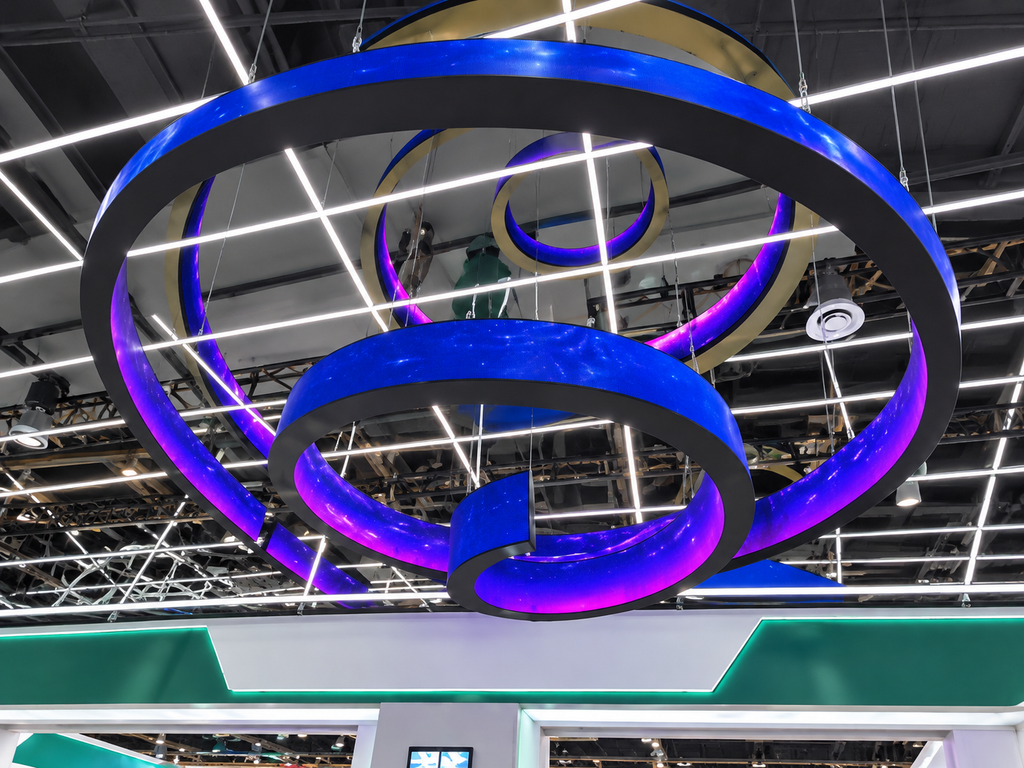
This problem is common in large curved LED walls, exhibition displays, and multi-screen installations.
The problem is not always caused by the LED modules. Video processors, receiving cards, signal cables, and control settings can all affect screen timing.
Understanding these issues helps installers find the cause before it affects the whole display.
When several LED screens display the same content, every screen should update at the correct time.
If synchronization is lost, you may notice:
These problems are especially visible when a video moves across several connected screens.
For example, a moving logo should pass smoothly from one curved LED section to another. If the screens are not synchronized, the logo may appear broken or delayed at the connection point.
For shopping malls, exhibitions, and live events, this can reduce the quality of the entire installation.
In a multi-screen LED system, several processors may handle different parts of the display.
If each processor has different settings or processing delays, the screens may not update together.
This problem can become more noticeable when video resolution, scaling, or input settings differ between processors.
Receiving cards control how LED modules receive and display image data.
Incorrect configuration, incompatible firmware, or missing synchronization settings can cause different screen sections to update at different times.
A flexible LED display with an irregular layout may require more complex receiving card mapping than a standard flat screen.
This makes correct configuration especially important.
Flexible LED installations often use curved structures with complicated cable routes.
Long cables, loose connectors, or interference from nearby electrical equipment may affect signal transmission.
These problems do not always create true timing drift. Sometimes they cause dropped frames, temporary image interruptions, or delayed updates that look similar to synchronization problems.
LED displays generate heat during operation.
As the system warms up, unstable power supplies or temperature-sensitive electronic components may begin to behave differently.
This can lead to communication errors or intermittent display problems.
However, temperature alone does not normally cause independent screens to drift when they share a stable synchronization reference.
The first step is to check the complete signal path.
Make sure all screens receive video from a properly synchronized control system.
When several processors are used, choose equipment that supports a common timing reference, such as genlock, where required.
Next, check that receiving cards use compatible firmware and the correct configuration.
Installers should also:
For curved installations, cable routing should be planned before the flexible LED modules are installed.
This reduces connection problems during later maintenance.
A short startup test is not enough to confirm long-term synchronization.
A better test checks the screens during continuous operation.
Step 1: Use identical video content
Play the same moving video across all connected screens. A moving vertical line or frame counter works well for checking timing differences.
Step 2: Record the initial condition
Check whether the content appears at the same position on every screen. Record any visible differences.
Step 3: Run the displays continuously
Keep the system running for several hours under normal operating conditions.
Step 4: Check for timing changes
Compare the screens again using the same test content. A high-speed camera or suitable timing measurement equipment can help identify frame differences.
Step 5: Check the control system
If synchronization changes, inspect processor settings, synchronization references, receiving cards, and signal connections.
Repeating the test after adjustments helps confirm whether the problem has been corrected.
Flexible LED modules are designed to fit curved, cylindrical, and irregular surfaces.
However, their installation structure can make cable management more difficult.
Tightly bent cables, unsupported connectors, and crowded installation spaces increase the risk of connection problems.
A well-designed mounting structure should provide enough room for signal cables, power supplies, and maintenance access.
This makes the display easier to install, test, and repair.
Synchronization is particularly important in installations where several screens must display one continuous image.
Common examples include curved LED walls in shopping malls, immersive exhibition rooms, stage backgrounds, and large advertising displays.
In these environments, even a small timing difference can become noticeable when moving content crosses screen boundaries.
Testing the complete system before delivery helps prevent problems during daily operation.
No. A high refresh rate can improve image stability, but it does not guarantee that separate screens display the same frame at the same time.
Long-term operation may reveal unstable connections, overheating, power issues, or differences between independent timing systems.
Sometimes, but only when the receiving card is faulty or incompatible. Controller settings and signal timing should be checked first.
Toosen LED manufactures LED displays for indoor, outdoor, and creative applications, including curved and special-shaped screens.
For multi-screen flexible LED projects, choosing suitable modules, controllers, and installation structures is important for reliable operation.
If you are planning a curved LED wall or customized multi-screen installation, contact Toosen LED to discuss your display design, control system requirements, and synchronization testing needs.
A reliable flexible LED display needs more than a clear image. Every screen must work together at the right time.
+86 18688923792
+86-755-23312336
4th Floor, Building B, Zhonghe Building, Taiwan Industrial Zone, 2132 Songbai Road, Shiyan Street, Bao'an District, Shenzhen.


Emall us with any questions or inquiries or use our contact data.We would be happy to answer your questions.
Toosen Professional Manufacturer of led sphere display,led screen globe,led ball display,spheric led screen,spherical led display, Led Special-shaped LED manufacturer, LED factory,Manufacturers & Suppliers,Factory & Exporters. Looking forward to your cooperation.
Copyright © 2010-2026 Toosen LED All Rights Reserved
Theme by WordPress